Menu
Home
Post Something
Forums
Current Activity
New posts
Search forums
What's new
New posts
Latest activity
News & Features
The Marketplace
Cars for Sale
Engine and Performance
Chassis and Wheels
Exterior and Body
Interior and Cockpit
ICE - In Car Entertainment
Car Shops and Services
Toys and Wares
All Other Stuff
Jobs and Vacancies
Looking For
Members
Log in
Register
What's new
Search
Search
Search titles only
By:
Current Activity
New posts
Search forums
Menu
Log in
Register
Reply to thread
See what others are reading now! Try Forums >
Current Activity
Home
Forums
Main Forums
General Talk
Temporary Solution to Msn Messenger Login Problem~!
JavaScript is disabled. For a better experience, please enable JavaScript in your browser before proceeding.
You are using an out of date browser. It may not display this or other websites correctly.
You should upgrade or use an
alternative browser
.
Message
<blockquote data-quote="satria_95" data-source="post: 1647038" data-attributes="member: 1506"><p>If you have opened the file /windows/system32/drivers/etc/hosts , then there isn't a way the icon can change. Refer to the below pic.</p><p></p><p><img src="http://www.boomspeed.com/satria95/hosts.jpg" alt="" class="fr-fic fr-dii fr-draggable " style="" /></p><p></p><p>Note that there are 2 file that are similar (on my PC, that is). One is the "hosts" and one is the "hosts.msn" file. For the "hosts" file, you will not be able to set an application to associate with the file permanently, simply because the filename does not have an extension (example:- rempitsucks.die , ilovedim.sum , whereby the .die and the .sum are known as file extensions.)</p><p>Since you mentioned that you accidentally opened it with MS Word and now the icon has changed to that of MS Word, you may have opened the hosts.msn and accidentally set all files with the .msn extension to be opened by MS Word. Refer again to the pic below.</p><p>http://www.boomspeed.com/satria95/file_open.jpg</p><p></p><p>Perhaps, while you were attempting to open the file (shown in red circle), you may not have noticed the ticked option in the red box. This option simply means "open all files with .msn extension with MS Word all the time". Once you click OK, it will register all files with .msn file extension to MS Word. If you feel that it's pointless to relate MS Word to .msn files, open Windows Explorer. Then go to TOOLS -> FOLDER OPTIONS. See pic below.</p><p>http://www.boomspeed.com/satria95/folder_options.jpg</p><p></p><p>The FOLDER OPTIONS box will pop out. Go to the tab, FILE TYPES. Then, look for the .msn file association. Refer to the pic below.</p><p></p><p>http://www.boomspeed.com/satria95/delete_file_type.jpg</p><p></p><p></p><p></p><p>Notice the highlighted item. Notice also the <strong>"DETAILS OF 'MSN' extension"</strong> below the red circle. This is to tell you that .msn is associated with MS Word.</p><p>Click on delete and the association will be deleted. That should do the trick.</p></blockquote><p></p>
[QUOTE="satria_95, post: 1647038, member: 1506"] If you have opened the file /windows/system32/drivers/etc/hosts , then there isn't a way the icon can change. Refer to the below pic. [IMG]http://www.boomspeed.com/satria95/hosts.jpg[/IMG] Note that there are 2 file that are similar (on my PC, that is). One is the "hosts" and one is the "hosts.msn" file. For the "hosts" file, you will not be able to set an application to associate with the file permanently, simply because the filename does not have an extension (example:- rempitsucks.die , ilovedim.sum , whereby the .die and the .sum are known as file extensions.) Since you mentioned that you accidentally opened it with MS Word and now the icon has changed to that of MS Word, you may have opened the hosts.msn and accidentally set all files with the .msn extension to be opened by MS Word. Refer again to the pic below. http://www.boomspeed.com/satria95/file_open.jpg Perhaps, while you were attempting to open the file (shown in red circle), you may not have noticed the ticked option in the red box. This option simply means "open all files with .msn extension with MS Word all the time". Once you click OK, it will register all files with .msn file extension to MS Word. If you feel that it's pointless to relate MS Word to .msn files, open Windows Explorer. Then go to TOOLS -> FOLDER OPTIONS. See pic below. http://www.boomspeed.com/satria95/folder_options.jpg The FOLDER OPTIONS box will pop out. Go to the tab, FILE TYPES. Then, look for the .msn file association. Refer to the pic below. http://www.boomspeed.com/satria95/delete_file_type.jpg Notice the highlighted item. Notice also the [B]"DETAILS OF 'MSN' extension"[/B] below the red circle. This is to tell you that .msn is associated with MS Word. Click on delete and the association will be deleted. That should do the trick. [/QUOTE]
Insert quotes…
Verification
Post reply
The Marketplace Latest
New original Defi Advance A1 NA package triple...
Started by
david tao
Engine and Performance
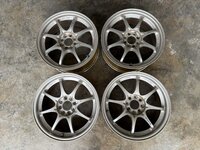
original rare Rays Volk Racing CE28 16x7jj offset...
Started by
david tao
Chassis and Wheels
Honda Jazz/Fit JSracing GTwing Spoiler
Started by
jeff6126
Exterior and Body
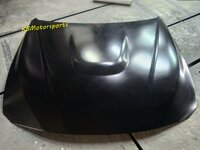
Toyota Vios NCP93 front bonnet hood
Started by
jeff6126
Exterior and Body
Honda civic fc varis spoiler
Started by
jeff6126
Exterior and Body
BMW F10 Msport front bumper set
Started by
jeff6126
Exterior and Body
BMW F30 M3/GTS front bonnet hood
Started by
jeff6126
Exterior and Body
BMW F10 vorsteiner rear bumper diffuser
Started by
jeff6126
Exterior and Body
Mitsubishi Lancer Evo bodykit
Started by
jeff6126
Exterior and Body
BMW F30 M3 front skirt lip
Started by
jeff6126
Exterior and Body
Posts refresh every 5 minutes
Top Gear : The Ashes Challenge
https://www.zerotohundred.com/wp-content/uploads/2011/05/topgearashes.jpg
Top Gear invited the guys from Top Gear Australia to the UK and had a small competition amongst themselves. As the Ashes refers to the...
RUF adds some tough to the 911 Roadster
http://www.zerotohundred.com/?attachment_id=15440
Back when it first made an appearance, the Targa variant of the Porsche 911 had a removable fabric roof panel and a folding rear window to keep it that much more...
How to stick EMBLEM
Hai bros and sis...
I newbie here...
Anyway, i need help from you`all...
I got 2 vvt-i emblems but i don`t know how to stick at the body...
Somebody can give me any steps to stick it?
TQ
Recent Posts
Darker Design : Mercedes-Benz Launches GLA Nightfall Edition in Malaysia
Started by
The_Mechanic
News and Features
Honda Malaysia Doubles Down on Hybrids: New CR-V Launches with Dual e:HEV...
Started by
The_Mechanic
News and Features
BateriHub Reaches 200-Store Milestone, Becomes Malaysia’s Largest...
Started by
The_Mechanic
News and Features
Been stalking for 3 years edy
Started by
dheepadarshan95
Introduction and Newbies
Recommendation: Turbocharger for 4B11 N.A engine
Started by
Mitevo7
Car Modification
Search
Online now
Enjoying Zerotohundred?
Log-in
for an ad-less experience
Home
Forums
Main Forums
General Talk
Temporary Solution to Msn Messenger Login Problem~!