Menu
Home
Post Something
Forums
Current Activity
New posts
Search forums
What's new
New posts
Latest activity
News & Features
The Marketplace
Cars for Sale
Engine and Performance
Chassis and Wheels
Exterior and Body
Interior and Cockpit
ICE - In Car Entertainment
Car Shops and Services
Toys and Wares
All Other Stuff
Jobs and Vacancies
Looking For
Members
Log in
Register
What's new
Search
Search
Search titles only
By:
Current Activity
New posts
Search forums
Menu
Log in
Register
Reply to thread
See what others are reading now! Try Forums >
Current Activity
Home
Forums
Main Forums
Interests
Do-It-Yourself Garage
DIY Install Engine Start Button (with pictures)
JavaScript is disabled. For a better experience, please enable JavaScript in your browser before proceeding.
You are using an out of date browser. It may not display this or other websites correctly.
You should upgrade or use an
alternative browser
.
Message
<blockquote data-quote="RoyBlue" data-source="post: 2475436" data-attributes="member: 56162"><p>Hello guys, I'm new to this forum but I've seen a lot of great stuff going on here especially in the DIY sections. Truly Malaysia Boleh SPIRIT!!!</p><p></p><p>I've been wanting to install a engine start button for my car (for the cool factor ). Sorry in advance as I know that this DIY has been done on this DIY section before. I'm adding pictures to my post thru the process of installing the start button. </p><p></p><p>Here it goes...</p><p></p><p>1. Engine Start Button http://i218.photobucket.com/albums/cc160/Leroywee/IMG_0162.jpg</p><p></p><p>I got this off from another great forumer from ZTH as well. His name is FTZone. Great guy and great product.</p><p></p><p>This button is backlit as well so it adds to the effect of looking great especially when you just come in the car. (Will get to that in a bit)</p><p></p><p>2. Figure out where to attach it to and make a hole wide enough to fit the front part of the button. http://i218.photobucket.com/albums/cc160/Leroywee/IMG_0168.jpg</p><p></p><p>I decided to put mine on that extra space that I had (some protons with power side mirror controls are usually found there - Mine are manual so I could spare the space.) Don't mind the self made hole. Didn't have proper tools to make the hole so i used a drill and sandpaper to make it bigger)</p><p></p><p>http://i218.photobucket.com/albums/cc160/Leroywee/IMG_0171.jpg</p><p></p><p>make sure it fits nice and snug. You don't want the hole to be too big if not you'll get that rattling sound when you drive. </p><p></p><p></p><p>Here's the back of the unit after attaching it.</p><p>http://i218.photobucket.com/albums/cc160/Leroywee/IMG_0172.jpg</p><p></p><p>3. How to wire the button up. (tricky part)</p><p>WARNING : DISCONNECT YOUR CAR BATTERY FIRST!!!</p><p>First you gotta open the bottom part of the dashboard. Just below the steering and then remove the plastic bit surrounding the steering. There are screws (3) on the bottom. This part is attached to the ignition key slot.</p><p></p><p>After that when you removed it you can see the whole the back end of the key ignition assembly.</p><p></p><p>CAUTION: There are two connectors on the back end. The one on the left (smaller one - two wires, yellow & black) is for the ring that lights up to show you where the keyhole is ( this connector can be used to light up the backlight of the button - will explain in a bit) The one on the right is the main ignition connector - 5 wires = 1 yellow/black, 1 white/black, 1 blue/black, blue/white, & 1 white)</p><p>http://i218.photobucket.com/albums/cc160/Leroywee/IMG_0178.jpg</p><p></p><p>You have to splice 2 wires on the MAIN IGNITION CONNECTOR, the white/black and the yellow black. Here's a better picture.</p><p>http://i218.photobucket.com/albums/cc160/Leroywee/IMG_0173.jpg</p><p></p><p>I said splice which means don't cut it off. DO NOT CUT IT OFF. you just have to strip the insulator a little. Use a good wire stripper such as this...</p><p>http://i218.photobucket.com/albums/cc160/Leroywee/IMG_0176.jpg</p><p></p><p>Now that you've spliced the wire, take two wires, (you can use the inside wires of your electrical appliances (yellow/green, blue, brown) wires to make this connection. (To all the other sifu... please comment on this part... I not so sure whether the wire can tahan. I think should be no problem) and join them to the black/yellow, black white wires that you've spliced earlier. Connect one to each any of these two contact points. </p><p></p><p>http://i218.photobucket.com/albums/cc160/Leroywee/IMG_0166.jpg</p><p></p><p>the red arrows show the screws that you loosen to open up the contact points.</p><p></p><p>http://i218.photobucket.com/albums/cc160/Leroywee/IMG_0165.jpg</p><p>This picture shows the contact points where you should connect the IGNITION WIRES which you spliced earlier to (RED ARROWS). The YELLOW ARROWS show where you can connect the KEYHOLE RING WIRES = yellow + black wires to so that the button has a backlight. </p><p></p><p>http://i218.photobucket.com/albums/cc160/Leroywee/IMG_0174.jpg</p><p>The above picture shows the light ring which I'm referring to.</p><p></p><p>Secure wiring properly with electrical tape. Then reconnect your battery to test it.</p><p></p><p>It should have a light like this.... </p><p>http://i218.photobucket.com/albums/cc160/Leroywee/IMG_0179.jpg</p><p></p><p>After that... if all goes well you will be able to get something like this!!! </p><p>[youtube]YYNs4IKS47c[/youtube]</p><p></p><p>FINALLY, you can close up everything and screw back all the panels. MAKE SURE you get everything back properly. Don't become like me on the first go, got extra two screws... :hmmmm: </p><p></p><p>A word of thanks to all the SIFU out there in the DIY section. To FTZone, thanks for delivering the button so fast to me <img src="https://zerotohundred.com/forums/styles/default/xenforo/smilies/adore.gif" class="smilie" loading="lazy" alt=":adore:" title="adore :adore:" data-shortname=":adore:" /> </p><p></p><p>Sorry again if it's annoying or confusing. Thanks for viewing!!!</p></blockquote><p></p>
[QUOTE="RoyBlue, post: 2475436, member: 56162"] Hello guys, I'm new to this forum but I've seen a lot of great stuff going on here especially in the DIY sections. Truly Malaysia Boleh SPIRIT!!! I've been wanting to install a engine start button for my car (for the cool factor ). Sorry in advance as I know that this DIY has been done on this DIY section before. I'm adding pictures to my post thru the process of installing the start button. Here it goes... 1. Engine Start Button http://i218.photobucket.com/albums/cc160/Leroywee/IMG_0162.jpg I got this off from another great forumer from ZTH as well. His name is FTZone. Great guy and great product. This button is backlit as well so it adds to the effect of looking great especially when you just come in the car. (Will get to that in a bit) 2. Figure out where to attach it to and make a hole wide enough to fit the front part of the button. http://i218.photobucket.com/albums/cc160/Leroywee/IMG_0168.jpg I decided to put mine on that extra space that I had (some protons with power side mirror controls are usually found there - Mine are manual so I could spare the space.) Don't mind the self made hole. Didn't have proper tools to make the hole so i used a drill and sandpaper to make it bigger) http://i218.photobucket.com/albums/cc160/Leroywee/IMG_0171.jpg make sure it fits nice and snug. You don't want the hole to be too big if not you'll get that rattling sound when you drive. Here's the back of the unit after attaching it. http://i218.photobucket.com/albums/cc160/Leroywee/IMG_0172.jpg 3. How to wire the button up. (tricky part) WARNING : DISCONNECT YOUR CAR BATTERY FIRST!!! First you gotta open the bottom part of the dashboard. Just below the steering and then remove the plastic bit surrounding the steering. There are screws (3) on the bottom. This part is attached to the ignition key slot. After that when you removed it you can see the whole the back end of the key ignition assembly. CAUTION: There are two connectors on the back end. The one on the left (smaller one - two wires, yellow & black) is for the ring that lights up to show you where the keyhole is ( this connector can be used to light up the backlight of the button - will explain in a bit) The one on the right is the main ignition connector - 5 wires = 1 yellow/black, 1 white/black, 1 blue/black, blue/white, & 1 white) http://i218.photobucket.com/albums/cc160/Leroywee/IMG_0178.jpg You have to splice 2 wires on the MAIN IGNITION CONNECTOR, the white/black and the yellow black. Here's a better picture. http://i218.photobucket.com/albums/cc160/Leroywee/IMG_0173.jpg I said splice which means don't cut it off. DO NOT CUT IT OFF. you just have to strip the insulator a little. Use a good wire stripper such as this... http://i218.photobucket.com/albums/cc160/Leroywee/IMG_0176.jpg Now that you've spliced the wire, take two wires, (you can use the inside wires of your electrical appliances (yellow/green, blue, brown) wires to make this connection. (To all the other sifu... please comment on this part... I not so sure whether the wire can tahan. I think should be no problem) and join them to the black/yellow, black white wires that you've spliced earlier. Connect one to each any of these two contact points. http://i218.photobucket.com/albums/cc160/Leroywee/IMG_0166.jpg the red arrows show the screws that you loosen to open up the contact points. http://i218.photobucket.com/albums/cc160/Leroywee/IMG_0165.jpg This picture shows the contact points where you should connect the IGNITION WIRES which you spliced earlier to (RED ARROWS). The YELLOW ARROWS show where you can connect the KEYHOLE RING WIRES = yellow + black wires to so that the button has a backlight. http://i218.photobucket.com/albums/cc160/Leroywee/IMG_0174.jpg The above picture shows the light ring which I'm referring to. Secure wiring properly with electrical tape. Then reconnect your battery to test it. It should have a light like this.... http://i218.photobucket.com/albums/cc160/Leroywee/IMG_0179.jpg After that... if all goes well you will be able to get something like this!!! [youtube]YYNs4IKS47c[/youtube] FINALLY, you can close up everything and screw back all the panels. MAKE SURE you get everything back properly. Don't become like me on the first go, got extra two screws... :hmmmm: A word of thanks to all the SIFU out there in the DIY section. To FTZone, thanks for delivering the button so fast to me :adore: Sorry again if it's annoying or confusing. Thanks for viewing!!! [/QUOTE]
Insert quotes…
Verification
Post reply
The Marketplace Latest
original rare Rays Volk Racing CE28 16x7jj offset...
Started by
david tao
Chassis and Wheels
Honda Jazz/Fit JSracing GTwing Spoiler
Started by
jeff6126
Exterior and Body
Toyota Vios NCP93 front bonnet hood
Started by
jeff6126
Exterior and Body
Honda civic fc varis spoiler
Started by
jeff6126
Exterior and Body
BMW F10 Msport front bumper set
Started by
jeff6126
Exterior and Body
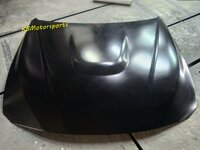
BMW F30 M3/GTS front bonnet hood
Started by
jeff6126
Exterior and Body
BMW F10 vorsteiner rear bumper diffuser
Started by
jeff6126
Exterior and Body
Mitsubishi Lancer Evo bodykit
Started by
jeff6126
Exterior and Body
BMW F30 M3 front skirt lip
Started by
jeff6126
Exterior and Body
Honda Civic FC fk7si front bumper set
Started by
jeff6126
Exterior and Body
Posts refresh every 5 minutes
Negeri Sembilan Vintage & Classic Car Club visits Tampin
On Sunday, 25th June 2011, Negeri Sembilan Vintage & Classic Car Club pays a...
Test: Q8 Oils and Lubegard
Story by: Supremus
Photos by...
HKS SSQV
guys,
is it true that the sqv if the merc logo thing in front is taken off..it will create a weird sound? like a return sound?...the front portion of the sqv is like a merc logo rite....and it could be taken off?
Recent Posts
Darker Design : Mercedes-Benz Launches GLA Nightfall Edition in Malaysia
Started by
The_Mechanic
News and Features
Honda Malaysia Doubles Down on Hybrids: New CR-V Launches with Dual e:HEV...
Started by
The_Mechanic
News and Features
BateriHub Reaches 200-Store Milestone, Becomes Malaysia’s Largest...
Started by
The_Mechanic
News and Features
Been stalking for 3 years edy
Started by
dheepadarshan95
Introduction and Newbies
Recommendation: Turbocharger for 4B11 N.A engine
Started by
Mitevo7
Car Modification
Search
Online now
Enjoying Zerotohundred?
Log-in
for an ad-less experience
Home
Forums
Main Forums
Interests
Do-It-Yourself Garage
DIY Install Engine Start Button (with pictures)